
PUSUN PT-Smart Pro Review: What It’s Like to Train With a Smart Tennis Ball Machine
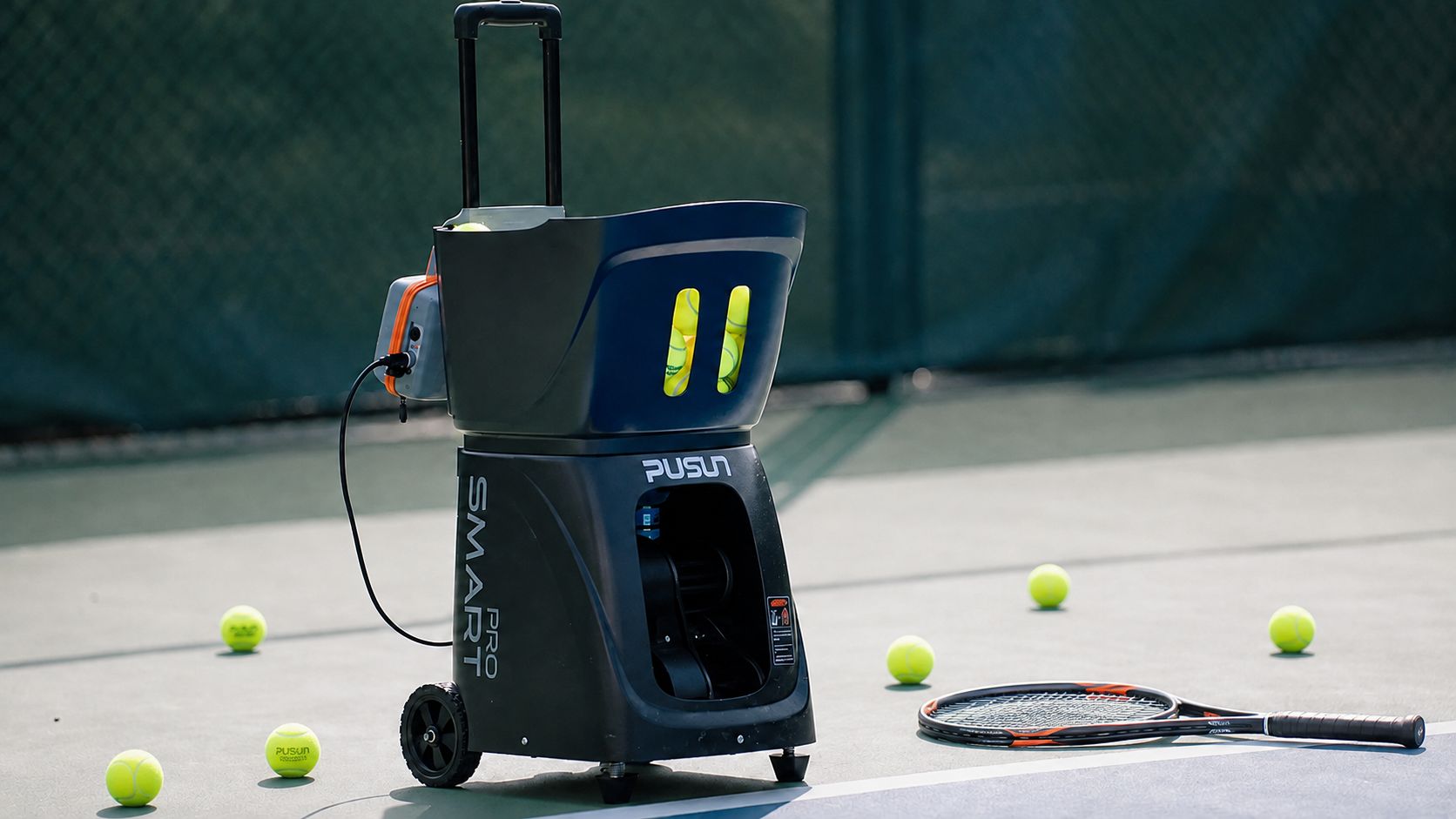
Training alone has always been one of the harder parts of improving at tennis.
A hitting partner is not always available, and even when someone is willing to feed balls, it can be difficult to repeat exactly the same shot dozens of times.
That is what made the PT-Smart Pro tennis ball machine interesting to me.
Instead of working like a basic launcher that repeatedly sends balls to one position, the PT-Smart Pro allows you to adjust speed, spin, frequency, direction and landing position while also creating programmable training routines.
After spending time understanding how this type of machine works, my overall impression is simple:
The PT-Smart Pro is most useful for players who want structured solo practice rather than just repetitive ball feeding.

First Impressions of the PT-Smart Pro
The first thing I noticed is that the PT-Smart Pro feels more like a complete training system than a traditional tennis ball launcher.
The tennis version can hold 100+ tennis balls, which is enough for a substantial practice session without constantly stopping to reload.
It also supports multiple control methods, including:
-
Mobile APP
-
15-key remote control
-
iWatch
-
Mini program
Being able to control the machine remotely becomes surprisingly important during actual practice.
Once I am standing on the opposite baseline, I do not want to walk back across the court every time I need to pause the machine, change speed or select another training mode.
That alone makes solo sessions much more efficient.

Internal Link:
Want to see the full specifications and available versions?
View the PT-Smart Pro Tennis Ball Machine
Setting Up the Machine for the First Time
One thing I would recommend to any new user is not to start with the most complicated training program.
The PT-Smart Pro offers a lot of adjustment, which is useful later, but it can also make the first session more complicated than necessary.
I would start with:
-
One fixed landing point
-
Moderate ball speed
-
Minimal spin
-
A comfortable feed interval
Then I would slowly adjust the settings one at a time.
The reason is that speed, spin, angle and machine position all affect where the ball eventually lands.
For example, increasing speed may push the ball deeper.
Adding topspin can make the ball drop earlier.
Changing the vertical trajectory can completely change the bounce and depth.
It takes some experimentation before the settings become intuitive.
28-Point Programmable Training Is the Standout Feature
This is where the PT-Smart Pro becomes much more interesting than a basic ball machine.
The system supports up to 28 programmable ball-placement points.
Instead of repeatedly sending the ball to one area, I can create combinations such as:
Deep forehand → deep backhand → short forehand → approach shot → volley
That makes the session feel more like point construction rather than simple stroke repetition.
For players trying to improve movement, this is particularly valuable.
I am not just practicing how to hit the ball.
I am also practicing how to:
-
Move into position
-
Recover after each shot
-
Change direction
-
Move forward
-
React to different ball depths

Internal Link Placement:
After explaining programmable drills, add:
Create your own solo training sessions with the
PT-Smart Pro Portable Tennis Ball Machine.
12 Training Modes Give You Plenty of Variety
The machine includes 12 preset training modes, covering common practice patterns such as:
-
Fixed-point training
-
Two-line drills
-
Horizontal movement
-
Vertical movement
-
Depth training
-
Random placement
-
Lob training
-
Topspin
-
Backspin
For me, this makes the machine more useful over the long term.
If a machine can only send one type of ball, practice can become repetitive very quickly.
With the PT-Smart Pro, I can use one session for consistency work and another for movement or reaction training.
APP and Remote Control Make Solo Training Easier
The APP is one of the biggest advantages of the machine.
When I am already positioned at the opposite end of the court, being able to make changes remotely saves a lot of unnecessary walking.
Through the control system, I can adjust things such as:
-
Ball speed
-
Feed frequency
-
Ball placement
-
Training pattern
-
Spin
-
Direction
The remote control is also useful when I only want to make a quick adjustment without using my phone.

For solo training, this feature makes a bigger difference than it might appear to on a specification sheet.
Ball Speed: From Technical Practice to High-Intensity Drills
The PT-Smart Pro offers an adjustable ball speed of approximately 20–120 km/h.
That range makes the machine suitable for very different types of players.
At the lower end, I can slow everything down and concentrate on:
-
Contact point
-
Swing path
-
Footwork
-
Timing
At higher speeds, the session becomes much more demanding.
The machine can then be used for reaction drills, faster baseline exchanges and more intense movement training.
This also means beginners and more experienced players can use the same machine in very different ways.
Adjustable Feed Frequency
The tennis version feeds approximately one ball every 1.8–8 seconds.
That is important because speed alone does not determine how hard a drill feels.
A medium-speed ball arriving every eight seconds is comfortable.
The same ball arriving every two seconds becomes a fitness drill very quickly.
I like having the ability to adjust both independently.
It means I can create slower technical sessions or higher-intensity repetition without changing machines.
Practicing Topspin and Backspin
Another major advantage is the ability to practice different spin types.
A ball with topspin behaves very differently from a flatter ball.
It drops earlier and can jump higher after the bounce.
Backspin creates another completely different timing challenge.
Being able to repeatedly practice against these trajectories makes the PT-Smart Pro useful for improving:
-
Timing
-
Racquet preparation
-
Footwork
-
Contact height
-
Reaction speed
ALT Text:Tennis player practicing with PT-Smart Pro automatic tennis ball machine

This is one of the areas where a ball machine has a major advantage over casual hand feeding: it can repeat similar spin and trajectory patterns again and again.
What Training With the PT-Smart Pro Actually Feels Like
The biggest benefit is repetition.
If I want to work on my backhand, I can hit dozens of similar backhands without asking another player to feed me.
If I want to work on approach shots, I can create a deeper ball followed by a shorter ball.
If I want more movement, I can use different court positions.
That allows me to focus on one thing at a time:
Preparation. Footwork. Contact. Recovery. Repeat.
There is no pressure to keep a rally alive.
I can stop, think about what went wrong, change the settings and start again.
That is where a programmable tennis ball machine becomes extremely useful.
Battery Life Is More Than Enough for Most Sessions
The PT-Smart Pro provides approximately 4–6 hours of battery life.
For most individual training sessions, that is more than enough.
In reality, fatigue usually becomes the limiting factor before the battery does.
A focused one-hour session with hundreds of balls can already be demanding.
The longer battery life is more useful if the machine is being used by:
-
Multiple players
-
A tennis coach
-
A tennis academy
-
Family members sharing one machine
Problems I Would Expect During the First Few Sessions
No machine with this many settings is completely plug-and-play.
There are several things I would expect a new owner to experience.
1. Finding the Correct Machine Position
Moving the machine even a relatively short distance can change where the ball lands.
That means you may need to experiment with its position behind or around the baseline before finding your preferred setup.
2. Understanding How Settings Work Together
Speed, vertical angle and spin cannot always be treated independently.
Changing one may require changing another.
This is probably the biggest learning curve.
3. Creating Good Custom Drills Takes Time
The 28-point programming feature is powerful, but I would not expect to create the perfect drill immediately.
The best approach is to build simple sequences first and gradually add more variation.
4. Different Tennis Balls Can Behave Differently
Older balls, newer balls and balls with different felt conditions may not launch exactly the same way.
For more consistent training, using balls of a similar type and condition is preferable.
What I Like Most About the PT-Smart Pro
After looking at the machine as a complete system, several advantages stand out.
Structured Solo Training
I can practice with a specific purpose rather than simply hitting random balls.
28-Point Programmable Placement
This creates much more realistic movement drills.
Wide Speed Range
The 20–120 km/h adjustment makes the machine useful across different skill levels.
Multiple Spin Options
Topspin and backspin help create more varied training.
Multiple Remote Control Methods
APP, remote control and wearable control make court sessions more convenient.
100+ Tennis Ball Capacity
Enough balls for meaningful repetition before reloading.
Long Battery Life
Approximately 4–6 hours, allowing extended practice.

My Recommended 60-Minute PT-Smart Pro Training Session
10 Minutes – Warm-Up
Use moderate speed and fixed landing points.
Focus on clean contact.
15 Minutes – Forehand and Backhand Consistency
Alternate between both sides.
Recover toward the center after every shot.
10 Minutes – Short Ball and Approach
Create a sequence with one deeper ball followed by a shorter ball.
Move forward and finish the point.
10 Minutes – Volley Practice
Reduce speed slightly and use a shorter feed interval.
Focus on compact technique.
10 Minutes – Random Movement Drill
Use several landing points.
Do not anticipate.
React to the ball instead.
5 Minutes – Serve + First Ball
Serve normally and use the machine to simulate the return.
This type of session is exactly where programmable training becomes more valuable than a simple fixed-position launcher.
Who Is the PT-Smart Pro Best For?
I think the PT-Smart Pro makes the most sense for:
Players Who Train Alone
You no longer need to depend on another person being available.
Intermediate Players
Repetition can help build more reliable strokes and footwork.
Advanced Players
Higher speeds, spin and programmable patterns allow more demanding drills.
Coaches
The same drill can be repeated consistently for different players.
Tennis Clubs and Training Centers
The long battery life and programmable training modes make it useful for structured practice.
Is the PT-Smart Pro Worth It?
If all you need is a machine that slowly sends the same ball to the same place, the PT-Smart Pro may offer more capability than you need.
But that is not really what this machine is designed for.
Its value comes from combining:
Programmable placement + adjustable speed + spin + feed frequency + smart control.
That combination gives you much more control over how you train.
There is a learning curve.
The first few sessions may involve moving the machine, changing the angle and adjusting your drills several times.
But once your preferred settings are saved, training becomes much easier.
The PT-Smart Pro cannot completely replace a coach or a real opponent.
What it can provide is something extremely useful:
consistent, repeatable and customizable practice whenever you have access to a court.
Ready to Build Your Own Solo Training Routine?
If you regularly practice alone and want more control over ball speed, spin, placement and training patterns, the PT-Smart Pro is worth considering.
28 programmable landing points.
20–120 km/h adjustable speed.
100+ tennis ball capacity.
APP and remote control.
4–6 hours of battery life.
View the PT-Smart Pro Portable Tennis Ball Machine →